

Emby for Android APK v3.5.17
by Emby Media
| Updated On | December 7, 2025 |
|---|---|
| Google Play ID | com.mb.android |
| Category | Photos & Videos |
| Version | 3.5.17 |
| Size | 50 MB |
| MOD Feature | Not available |
| Requires | Android 5.0 |
| publisher | Emby Media |
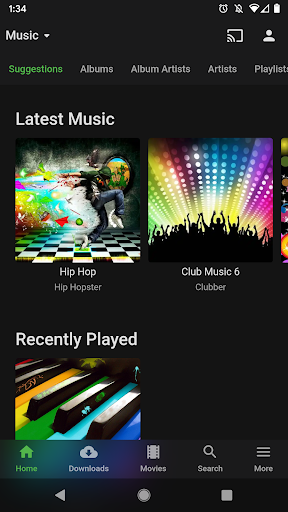
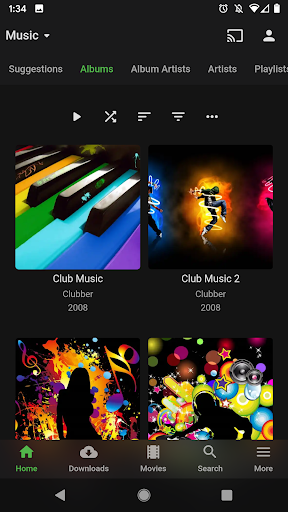
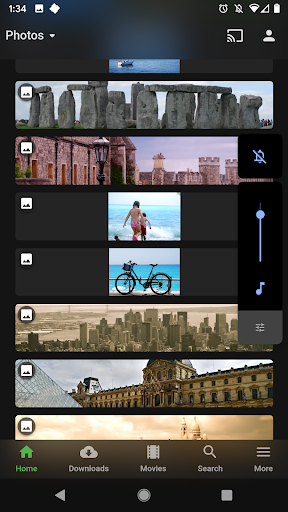
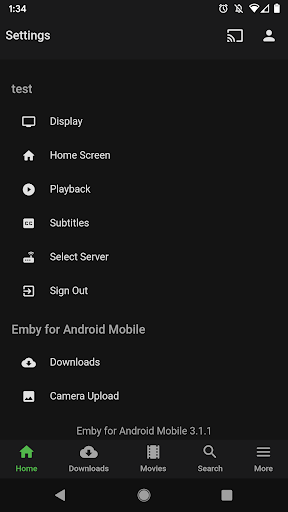
Introduce about Emby for AndroidMultimedia playerAutomatic transcodingUser management and access controlLibrary sync across devicesEmby for Android supports chromecast and DLNA devicesProfessional search and metadata displayDownload Emby for Android APK for AndroidEmby for Android is a mobile app designed to connect and access your personal media library from Emby Server, a free, open-source platform for organizing, managing, and streaming content like movies, music, photos, and live TV. The app supports both Android phones and tablets, with an interface optimized for touch and various screen resolutions.Introduce about Emby for AndroidMultimedia playerRight from the moment you open the app, Emby for Android impresses with its clean interface and a player tailored for Android. In the playback settings, you can choose streaming quality, adjust subtitles, and even sync audio and video if they’re misaligned, a handy feature for unevenly encoded files. The Picture-in-Picture (PiP) mode lets you watch videos in a small window while using other apps, a small but incredibly convenient feature for multitasking, like watching a movie while scrolling through social media.Automatic transcodingOne of Emby for Android’s standout strengths is its automatic video transcoding. What does that mean? It means the app can convert video formats and quality to best suit the device you’re using. For example, if you have a 4K HEVC file weighing tens of gigabytes on your home server, Emby will automatically transcode it into a lighter version compatible with your phone while maintaining optimal quality.In the app’s Admin Dashboard, you can even monitor this process in real-time, see which video is being transcoded, who’s watching, and at what bitrate. Clearly, this feature is designed for those serious about managing their media library.User management and access controlNot everyone in the family needs the same level of access, and Emby for Android gets that. You can create multiple user accounts, each with its own profile, limiting what they can view, setting viewing hours, or blocking access to sensitive folders. In the user management section, you can set permissions from admin to view-only, with meticulous detail. The app also supports Parental Control with content filtering based on age ratings, ensuring safety for kids.Library sync across devicesOne of the annoyances of traditional media apps is having to recreate playlists or hunt for a movie you left midway. Emby solves this with its library sync feature. Whenever you pause a video, the app saves your progress.But that’s not all, playlists, collections, and favorite tags are synced to the server, so whether you’re watching on your phone, TV, laptop, or tablet, there’s no interruption. This Sync feature works seamlessly thanks to the integration between the app and Emby Server, which requires separate setup but delivers results beyond expectations.Emby for Android supports chromecast and DLNA devicesIf you have a smart TV or DLNA-supported device (like a PlayStation or Smart Box), Emby for Android lets you stream content from your phone to a big screen with just a few taps. Chromecast is fully supported: tap the cast icon in the top-right corner of the player, and the video jumps to your TV, no cables, no extra setup needed. What’s cool is that Emby for Android retains full control from your phone, letting you fast-forward, adjust volume, or change subtitles without touching the TV remote.Professional search and metadata displayAs soon as you add a new movie or album to your library, Emby for Android automatically fetches metadata from the internet, posters, descriptions, release years, actors, directors, and more. A “blank” movie file gets a full makeover in seconds, complete with wallpapers, cover art, and ratings from IMDb or TheMovieDB. When you click on a movie, the interface looks like Netflix, with clear details, genre categorization, and even trailers if available. This not only makes choosing content easier but also gives a premium vibe, elevating the overall experience.Download Emby for Android APK for AndroidIt’s fair to say that Emby for Android is the assistant of your personal entertainment collection. As long as you have a home server and some affection for those movie files from the USB days, Emby for Android is ready to play director, theater manager, and media organizer. So, if you’re tired of digging through your phone for an old video or fed up with plugging cables from your PC to your TV, look no further. Emby may not solve everything, but it certainly makes things look a lot more polished and impressive.


0 comments: